

Building a successful online presence often involves jargon that can feel overwhelming. Two of the most commonly confused terms are web design and web development. While they are often used interchangeably by those outside the industry, they refer to two very different aspects of the website building process.
For business owners, understanding the nuances between these two fields is crucial. Hiring the wrong specialist can lead to wasted budget, delayed timelines, and a final product that doesn’t meet your needs. Whether you are launching a startup or revamping an existing enterprise site, knowing who does what ensures you get the right results.
In this article, we will break down the core differences between web design and web development, explore their specific roles, and help you determine which expertise you need for your next project.
What is Web Design?
Definition of Web Design
Web design focuses primarily on the visual aesthetics and usability of a website. It is the art of planning and arranging content online so that it is not only functional but also visually appealing and easy to navigate. A web designer is concerned with how a site looks and feels to the user.
Their goal is to create a digital environment that aligns with a brand’s identity while ensuring a seamless user experience (UX). If you land on a page and find it visually striking and intuitive to browse, that is the work of effective custom web design.
Key Responsibilities of a Web Designer
Web designers wear many hats, but their core responsibilities revolve around the visual and experiential aspects of a site:
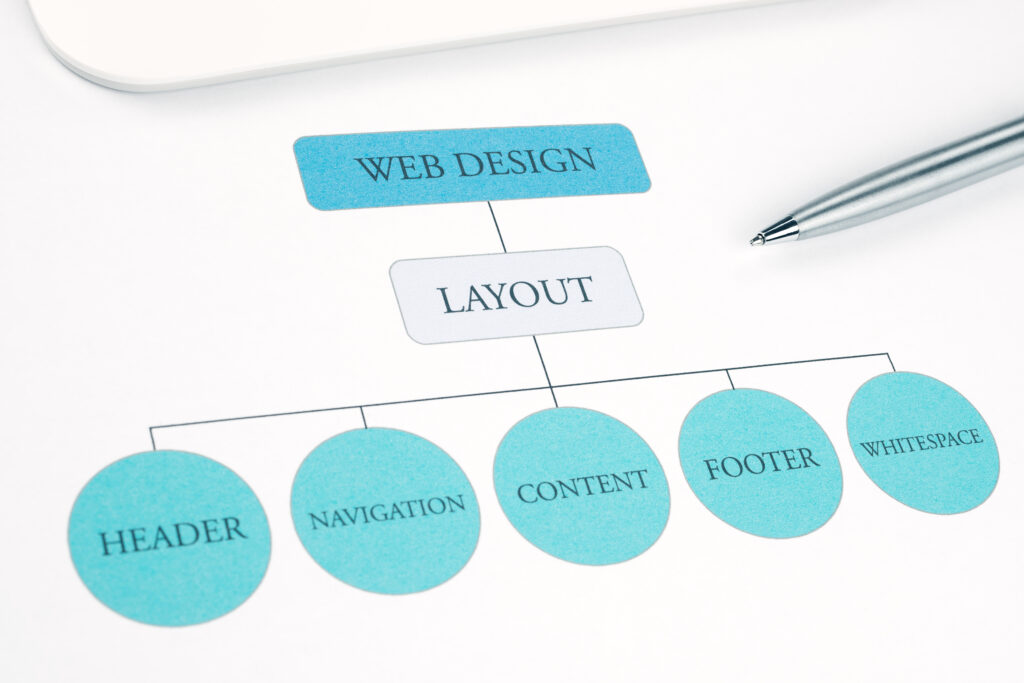
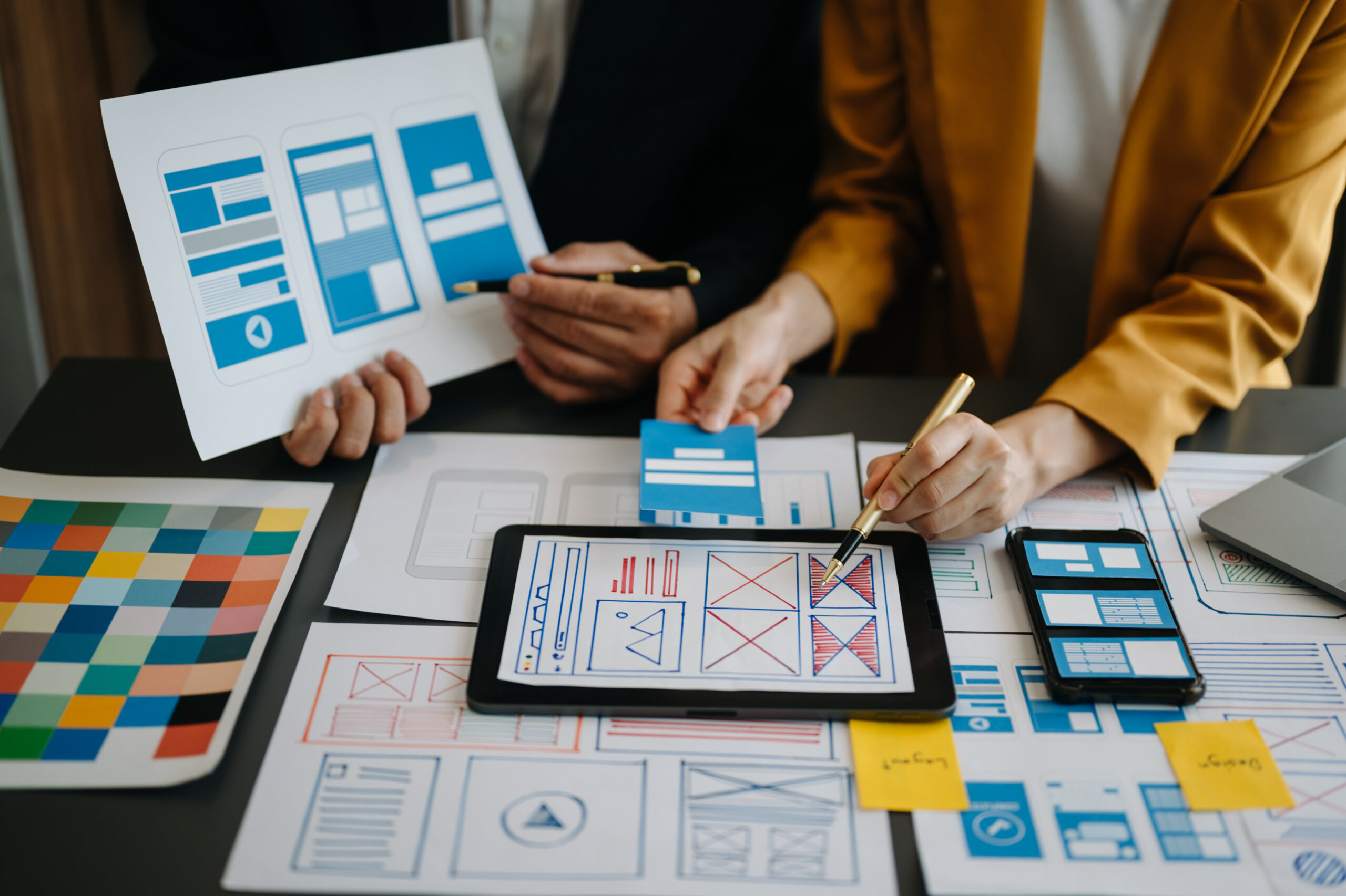
- Layout Creation: Deciding where text, images, and buttons should be placed to guide the user’s eye naturally.
- Color Schemes & Typography: Selecting fonts and color palettes that evoke the right emotions and align with brand guidelines.
- UI/UX Design: Focusing on User Interface (UI) for the look and User Experience (UX) for the feel and flow of the interaction.
- Wireframing & Prototyping: Creating blueprints (wireframes) and interactive models (prototypes) to visualize the site before any code is written.
- Branding Consistency: Ensuring every page reflects the brand’s voice and visual identity cohesively.
Tools Used in Web Design
Designers rely on visual software to bring their ideas to life. Common tools include:
- Figma: A popular collaborative interface design tool.
- Adobe XD: A vector-based tool for web and mobile apps.
- Photoshop: The industry standard for image manipulation and graphic creation.
- Sketch: A digital design toolkit primarily used for UI/UX on macOS.
Types of Web Design
- Static Design: Fixed layouts that don’t change based on user behavior.
- Responsive Design: Layouts that automatically adjust to fit different screen sizes (desktop, tablet, mobile).
- Adaptive Design: Creating specific layouts for specific devices.
- Mobile-First Design: Designing the mobile version of the site first, then scaling up to desktop.
What is Web Development?
Definition of Web Development
While designers focus on the visuals, web development is the engine under the hood. It involves building and maintaining the functional side of a website. Web developers take the non-interactive design files created by designers and write the code that turns them into a functioning, live website.
If a button changes color when you hover over it, or a form submits data to a database, that is the result of development.
Types of Web Development
The field is generally split into three main categories:
- Frontend Development: This deals with the “client-side”—everything a user sees and interacts with in their browser. Frontend developers implement the design.
- Backend Development: This deals with the “server-side”—the behind-the-scenes logic, databases, and servers that power the site.
- Full-Stack Development: A hybrid role where the developer has the skills to handle both frontend and backend tasks.
Key Responsibilities of a Web Developer
Professional web developers are responsible for breathing life into static designs:
- Coding Website Functionality: Writing the actual code that makes the site work.
- Database Management: Storing and retrieving user data efficiently.
- Server Configuration: Setting up the hosting environment.
- API Integrations: Connecting the website to third-party tools (like payment gateways or CRMs).
- Performance Optimization: Ensuring the code is clean and the site loads quickly.
Programming Languages & Technologies
Developers work with a variety of languages and frameworks depending on the project:
- Frontend: HTML (structure), CSS (style), JavaScript (interactivity).
- Backend: PHP, Python, Node.js, Ruby, Java.
- Frameworks/Libraries: React, Angular, Vue.
- CMS Platforms: Implementing and customizing systems like WordPress or Shopify.

Web Design vs Web Development: Core Differences
To simplify the web design vs web development comparison, let’s look at their primary distinctions.
Comparison Table
| Feature | Web Design | Web Development |
|---|---|---|
| Primary Focus | Look & feel, aesthetics, user flow | Functionality, logic, performance |
| Tools | Figma, Adobe XD, Photoshop | VS Code, GitHub, Terminal |
| Main Output | Visual mockups, layouts, prototypes | Functional websites, applications, code |
| Nature of Work | Creative, subjective, visual | Technical, logical, objective |
Skill Set Comparison
The divide largely comes down to right-brain vs. left-brain thinking. Web design requires creativity, an understanding of color theory, and deep empathy for user psychology. Web development requires logical thinking, problem-solving skills, and a grasp of complex system architectures.
How Web Design and Web Development Work Together
Despite their differences, these two roles are two sides of the same coin. A beautiful site that doesn’t work is useless; a functional site that is impossible to navigate is equally ineffective.
The process typically starts with the designer creating the visual concept. Once the client approves the wireframes and high-fidelity mockups, these assets are handed off to the developer. The developer then writes the code to construct the site.
Seamless coordination is vital. Website development services often include design phases because developers need to understand how a feature should behave, while designers need to understand technical limitations so they don’t design something impossible to build.
Why the Difference Matters for Businesses
Better Hiring Decisions
Knowing the difference saves you time during recruitment.
- Hire a Web Designer if you need a new logo, a layout refresh, or better user experience flows.
- Hire a Web Developer if your site is slow, you need to fix bugs, build a database, or integrate a new software tool.
- Hire a Full-Service Agency if you need to build a new site from scratch and want a cohesive team handling both aspects.
Budget Planning
Design and development are often line-itemed separately. Design costs usually occur upfront during the planning phase. Development costs can be higher and might include ongoing maintenance fees. Understanding this split helps in creating a realistic budget for your digital project.
Website Performance & Conversions
Both roles impact your bottom line. Design impacts how users perceive your brand and how easily they can find information (UX). Development impacts how fast the site loads and whether the checkout process works smoothly. Both are critical for conversion rates.

Which One Do You Need?
Still unsure who to call? Here are a few scenarios:
- Scenario A: Your website looks outdated and doesn’t match your new branding.
- Solution: You need custom web design.
- Scenario B: You want to add a custom calculator or a client portal to your existing site.
- Solution: You need professional web developers.
- Scenario C: You are launching a new business and have no website.
- Solution: You likely need both, or an agency that offers comprehensive website development services.
Future Trends in Web Design and Development
The line between design and development is blurring thanks to new technology.
- AI-Powered Design Tools: Artificial intelligence is helping designers generate layouts and color palettes instantly.
- No-Code & Low-Code Platforms: Tools like Webflow allow designers to build functional sites without writing extensive code.
- Progressive Web Apps (PWAs): These require tight collaboration to deliver app-like experiences on the web.
- Headless Development: Decoupling the frontend from the backend allows for more flexibility, requiring distinct specialized skills.
The Bottom Line
While web design vs web development is a common point of confusion, recognizing the distinction is key to building a successful digital product. Design attracts users with stunning visuals and intuitive layouts, while development ensures the site works reliably and quickly.
Neither is more important than the other; they are symbiotic. For a website to truly succeed, it needs the creative vision of a designer and the technical reliability of a developer working in harmony.
Related Reads –
Why Every Business Needs a High-Converting Website in 2026
If You Want Technology That Supports Your Growth,
We build fast, scalable, and performance-driven websites tailored for modern businesses.
From concept to launch, our web development solutions are engineered for growth.
As a forward-thinking web development agency, we combine strategy, design, and technology to build digital experiences that scale.
We partner with startups and enterprises to turn bold ideas into powerful platforms.
Our web development company delivers secure, high-performance solutions built for long-term success.
We focus on clean code, scalable architecture, and measurable business results.
Our end-to-end web development services cover everything from custom websites to complex web applications.
We create reliable, future-ready solutions that help your business grow faster online.
Related Posts
Why Every Business Needs a High-Converting Website in 2026
In 2026, having a website is no longer enough. Every business—whether a startup, local brand,…